What Are Email Automation Triggers? Examples & Best Practices
Turn every subscriber action into the right email at the right time.
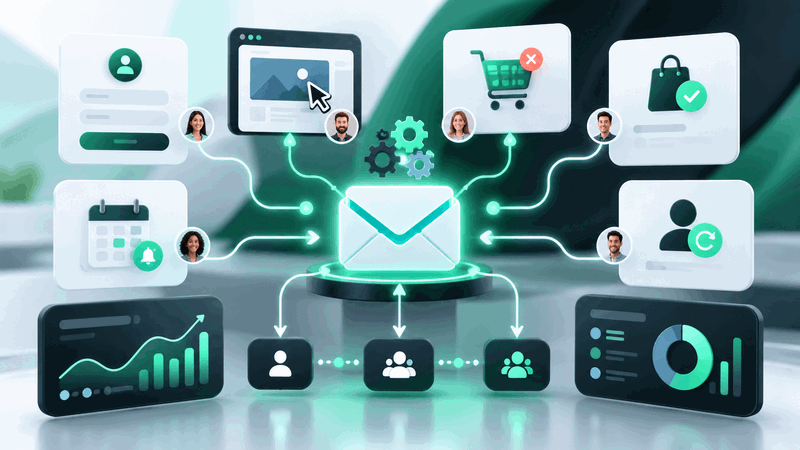

What Are Email Automation Triggers and How Can You Use Them?
Most email automation starts with one simple question:
What should happen when a subscriber does this?
Someone joins your newsletter. A prospect downloads a guide. A customer leaves a product in their cart. A SaaS user starts a free trial but never finishes the setup.
Each of these actions can become an email automation trigger.
Instead of waiting for your next scheduled campaign, automation lets you respond when something meaningful happens. That is what makes triggered emails useful: the message is connected to the subscriber's behavior, timing, or stage in the customer journey.
But triggers are only one part of a good automation workflow.
Let's look at how they work, which ones are worth using, and how to avoid turning your automation into a mess of unnecessary emails.
What Is an Email Automation Trigger?
An email automation trigger is an event, action, date, or condition that starts an automated email or workflow.
Think of it as the starting signal.
For example:
Trigger: Someone downloads an ebook
Action: Send a thank-you email
Or:
Trigger: A customer abandons their shopping cart
Delay: Wait two hours
Action: Send a cart reminder
A trigger can be as simple as a new subscriber joining your list or as specific as a customer reaching a certain lead score.
The important point is that the email is sent because something happened, not simply because you scheduled a campaign for Tuesday morning.
Trigger vs Condition vs Action: What's the Difference?
This is where many beginners get confused.
A trigger starts the automation, but it does not necessarily control everything that happens afterward.
A basic automation usually includes four parts:
Trigger: What starts the workflow?
Condition: Should this person continue through the workflow?
Action: What should happen next?
Delay: How long should the system wait before the next step?
Here is a simple B2B example:
Trigger: A prospect downloads a lead generation guide
Condition: They are not an existing customer
Action: Send a helpful follow-up email
Delay: Wait two days
Next condition: Did they visit the pricing page?
If yes, you might move them into a more sales-focused workflow.
If not, you could continue sending educational content.
This is what makes email automation more powerful than simply scheduling a series of emails.
Scheduled Emails vs Triggered Emails
Scheduled emails are sent at a specific time.
Triggered emails are sent because of a specific event.
A newsletter sent every Thursday is a scheduled email.
A welcome email sent immediately after someone subscribes is a triggered email.
Both have a place in email marketing.
Scheduled campaigns work well for newsletters, announcements, promotions, and regular updates.
Triggered emails are better when timing depends on what an individual subscriber is doing.
The strongest email strategies normally use both.
8 Email Automation Triggers Worth Using
You can create dozens of triggers, but that does not mean you should.
Start with events that clearly show what a subscriber needs or intends to do next.
1. New Subscriber
This is one of the easiest automation triggers to set up.
When someone joins your email list, send a welcome email immediately instead of waiting for your next campaign.
You can also create a short welcome sequence that introduces your brand, shares useful resources, and sets expectations about what subscribers will receive.
The key is relevance.
Someone who downloads an email deliverability checklist should not necessarily receive the same welcome sequence as someone who signs up for product updates.
2. Form Submission
Form submissions often indicate stronger intent than general website visits.
You might create triggers for:
Demo requests
Contact forms
Webinar registrations
Ebook downloads
Consultation requests
For example:
Demo request → confirmation email → sales notification → follow-up sequence
For B2B companies, this type of workflow can reduce the time between a prospect showing interest and the sales team responding.
3. Link Click
A click can tell you what a subscriber is interested in.
Imagine an email containing links to three topics:
Email deliverability, LinkedIn prospecting, and cold email automation.
If someone repeatedly clicks content about LinkedIn prospecting, you can use that behavior to personalize future emails.
However, don't build an aggressive sales sequence around one random click.
One action gives you a signal. Repeated behavior gives you context.
4. Website Behavior
Some email marketing and CRM platforms allow workflows to start when known contacts visit particular pages.
A visit to your homepage may not mean much.
Repeated visits to your pricing, demo, integration, or comparison pages can be more useful.
For example:
Pricing page visited three times → check lead status → notify sales
You do not always need to send another email. Sometimes the best automation action is internal.
That distinction is important.
Automation is not just about sending more messages.
5. Abandoned Cart
Abandoned cart automation is a classic example of using behavior and timing together.
A simple sequence might look like this:
Cart abandoned → wait two hours → send reminder → wait one day → send follow-up
The first email can simply remind the shopper what they left behind.
A later email might answer common questions about delivery, returns, or product quality.
Avoid immediately offering discounts every time someone abandons a cart. You may train customers to leave intentionally and wait for a coupon.
6. Purchase or Conversion
A conversion should start a new customer experience, not end the automation.
After a purchase, you can trigger:
Order confirmations
Product onboarding
Setup instructions
Usage tips
Review requests
Cross-sell emails
Renewal reminders
For SaaS companies, onboarding triggers are particularly valuable.
If someone creates an account but never completes an important setup step, the next email should help them make progress rather than immediately trying to sell them an upgrade.
7. Date-Based Events
Not every trigger needs to come from behavior.
You can also automate emails around important dates such as:
Trial expiration
Subscription renewal
Appointments
Membership anniversaries
Contract renewals
Birthdays
For example, if a trial expires in three days, you can trigger a reminder automatically.
These workflows are effective because the message is connected to something that is actually happening in the customer's journey.
8. Inactivity
Sometimes what a subscriber does not do is just as important.
You can trigger automation when someone has not opened, clicked, logged in, or purchased within a particular period.
For example:
No activity for 90 days → send re-engagement email
If they remain inactive, reduce email frequency or remove them from regular campaigns.
Keeping completely disengaged subscribers forever rarely improves email performance.
How to Choose the Right Email Automation Trigger
Before building a workflow, use this simple framework:
Signal → Context → Action → Timing
Signal
What happened?
Did someone subscribe, click, buy, download, or become inactive?
Context
What does that action probably tell you?
A pricing-page visit means something different from reading a beginner's blog post.
Action
What would genuinely help the subscriber next?
Sometimes it is an email. Sometimes it is updating a CRM field, assigning a lead, or notifying the sales team.
Timing
When should the action happen?
Immediately is not always better.
A password-reset email should arrive within seconds.
A request for a product review might make more sense days or weeks after purchase.
Context should determine the timing.
Common Email Automation Mistakes
The biggest mistake is assuming that more automation equals better marketing.
It does not.
Avoid triggering an email after every small action. Subscribers should not feel as though every click creates another sales message.
You should also make sure customers leave outdated workflows.
If someone enters a lead-nurturing sequence and then purchases your product, they should not continue receiving emails asking them to book a demo.
Another mistake is building complicated workflows before understanding whether simple ones work.
Start small.
A well-designed three-email sequence is often better than a 25-step automation nobody on your team fully understands.
How Should You Measure Triggered Email Performance?
Do not judge an automation only by open rates.
Track metrics related to the purpose of the workflow.
Depending on the campaign, that could include:
Click-through rate
Reply rate
Conversion rate
Trial activation
Demo bookings
Purchases
Revenue
Unsubscribe rate
Goal completion rate
If the purpose of an onboarding workflow is to get users to complete setup, setup completion matters more than whether the email achieved an impressive open rate.
Final Thoughts
Email automation triggers help you send messages based on what subscribers are actually doing instead of relying only on a fixed campaign calendar.
The best triggers usually come from meaningful moments: joining a list, requesting information, showing buying intent, completing a purchase, abandoning a process, or becoming inactive.
You do not need dozens of workflows to get started.
Identify two or three important moments in your customer journey and ask:
What would be genuinely useful for this person to receive next?
Build your automation around that answer.
Because the best email automation does not feel automated.
It simply feels like the right message arrived at the right time.

Comments
No comments yet. Be the first to comment!